RPG MZ Plugin: Book Reader
A downloadable plugin
✦ Book reader ✦

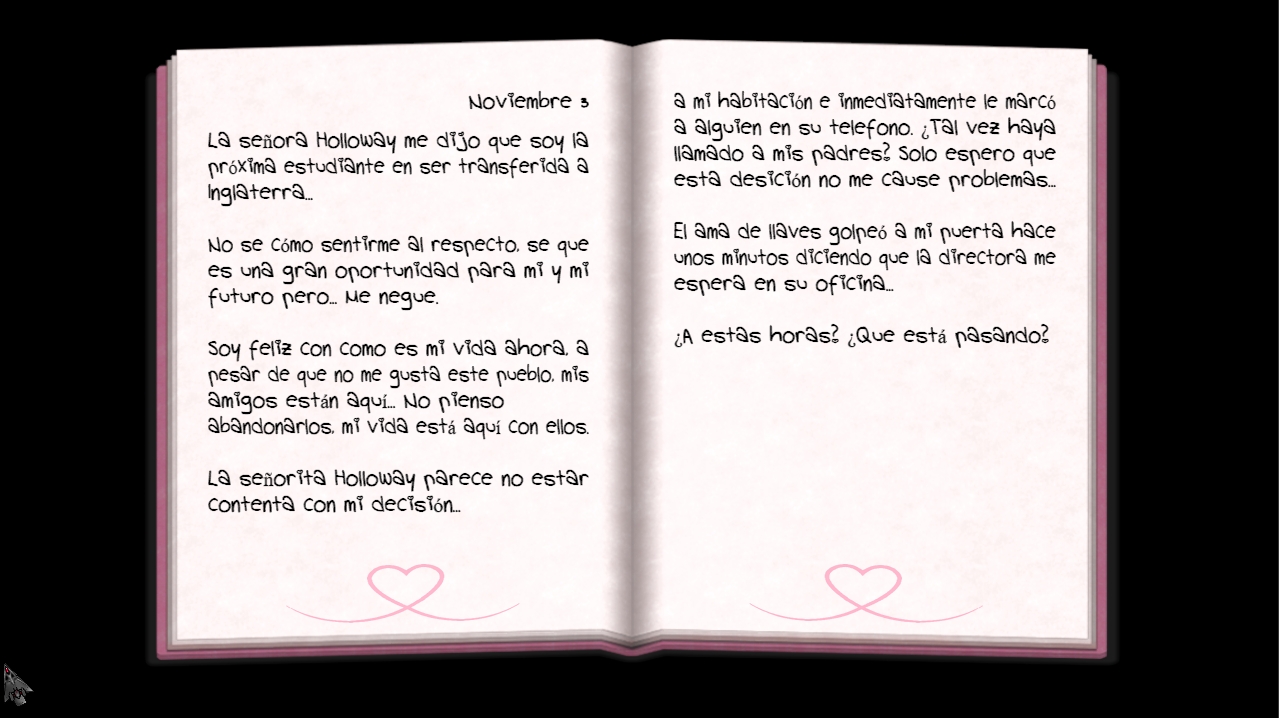
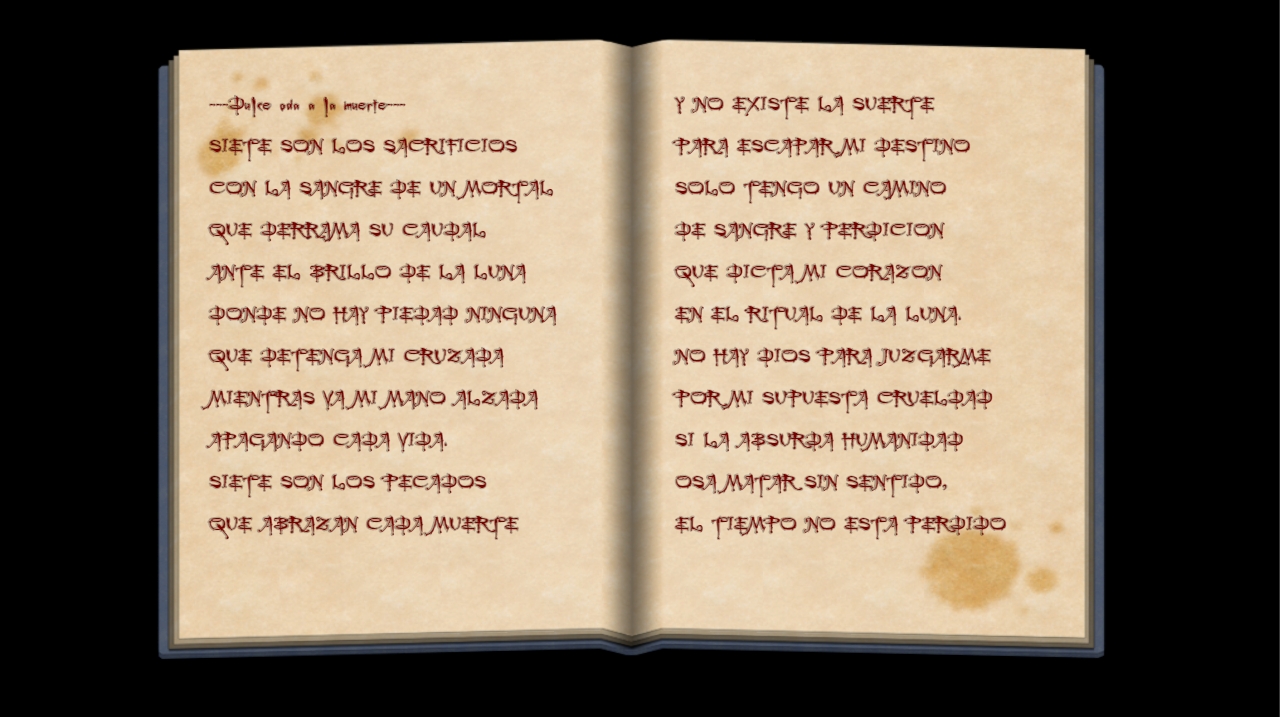
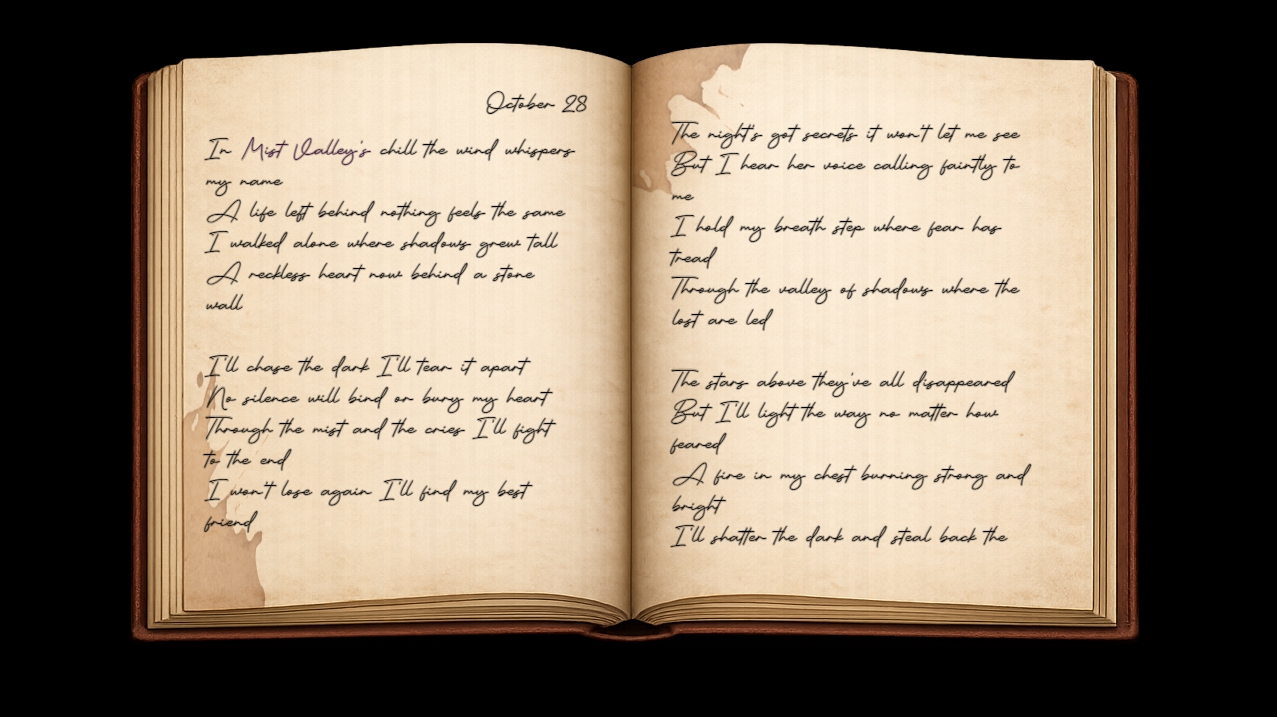
A more immersive way to display book texts and allow the player to delve into the lore of your projects in a more realistic way.
In this plugin you can read texts with automatically generated paragraphs displayed in a book format, with entries, dates and multiple pages. 📖
¡For a more immersive experience when reading books in your game!

🔎Features:
- This plugin comes with two copyright-free fonts inside the folder of this plugin already registered in the code, which should be moved to the "fonts" folder of your project. 📁
- There is no limit to the amount of text that appears in the book template. This plugin simulates a book, so you can navigate between pages using the "⬅︎" and "➡︎" keys. (The number of pages generated depends on the amount of text and the font size you have configured on the script call). 📝
- For commercial and non-commercial use.

⚙️Text Commands:
- This plugin works through script calls, with which we define the text to display, the book template, the font, the font size, and the date of the entry (which is optional).
BookReader.open(["Text"], "Image", "Date", "Font", "Font Size");
- Commands inside the text:
- \n ➡︎ Move to the next line
- \n\n ➡︎ Leave a blank line in between
- \\C[n] ➡︎ Change the text color
🔧Instructions:
- The fonts to be used must be in ttf format and inside the "fonts" folder of your project.
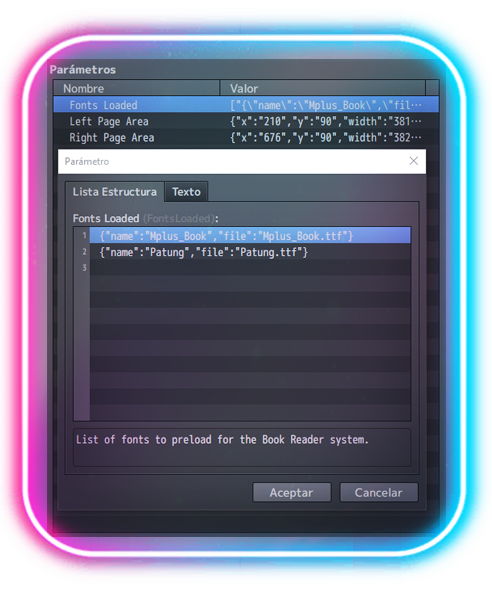
- Each font to be used must be previously registered in the Plugin's parameters. 🖊️
Just as follows:
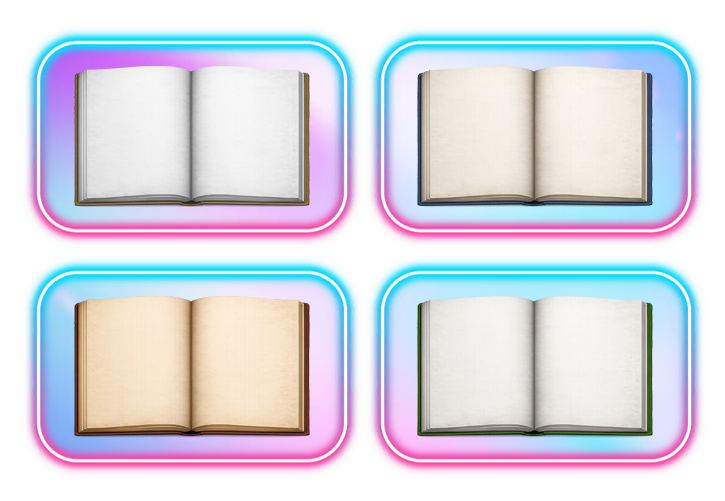
- This plugin comes with several different book templates, which should be moved to the img/pictures folder of your project. ("book01", "book02", "book03", etc).
You can use your own templates; you don't need to register them in the plugin. Simply putting the file name (which must be in img/pictures) in "Image" within the script call is sufficient.
- The plugin is configured for games with dimensions of 1280x720. This is used to locate the areas in the book template where the text will be displayed. Images used as templates must have the same dimensions as the game's resolution (in this case, 1280x720). 🖥️
If your game uses different dimensions, don't worry!
- First, you need to adapt the book templates to the correct size.
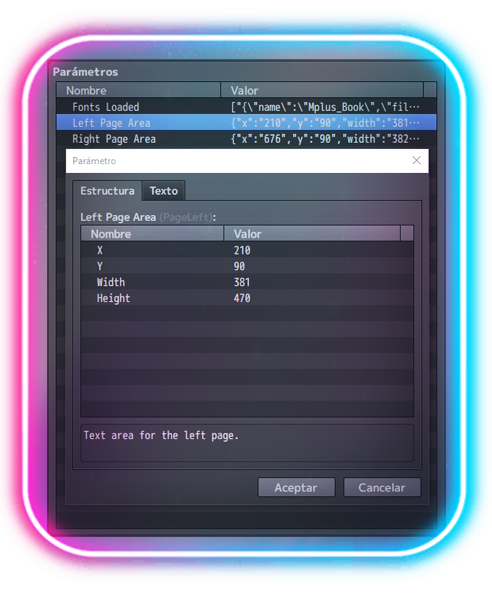
- Then, you need to define the image area where the text will be displayed.
Here's an example of what you need to measure and where to apply it:
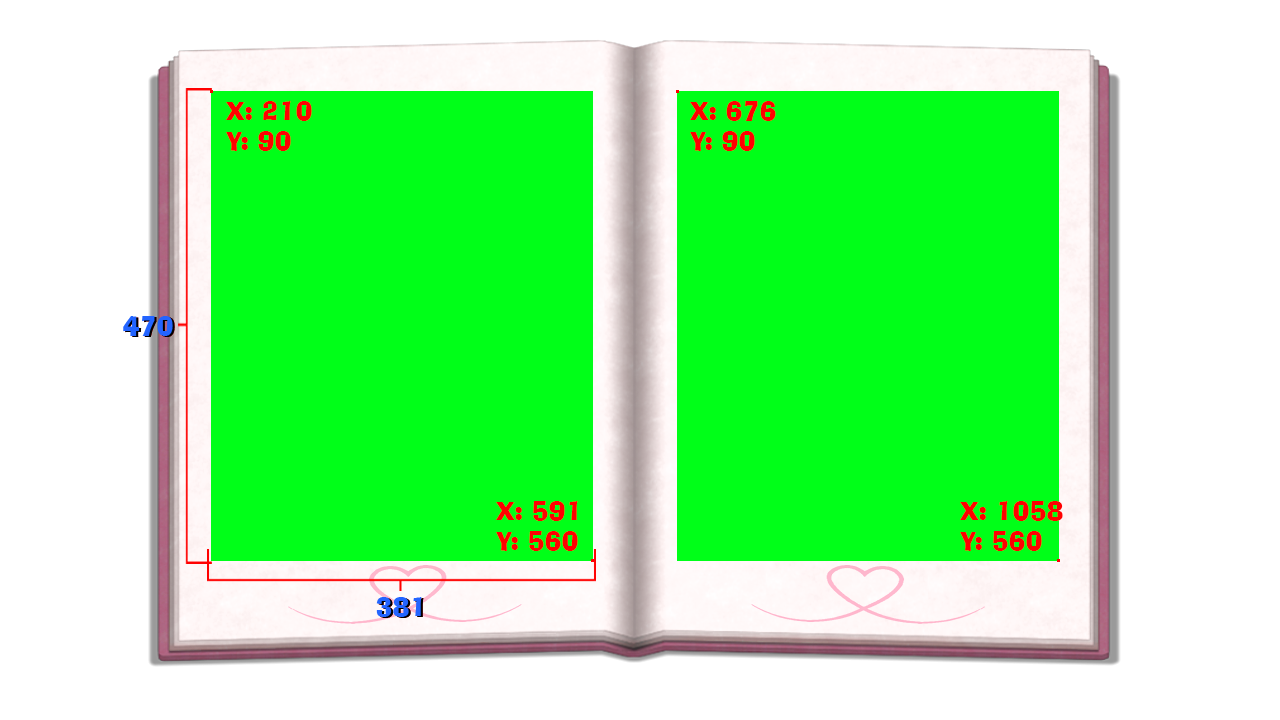
The green area is where the text will be displayed; the pixel coordinates we need to define that area are those from the left upwards and those from the right downwards.
(Same process for the other page)
Where to apply it:
💜¡THANK YOU!💜
Purchase
In order to download this plugin you must purchase it at or above the minimum price of $6 USD. You will get access to the following files:
Development log
- 🚨Book Reader Plugin – Version 3.0 Major Update!60 days ago
- 🛠️ Book Reader Plugin – Version 2.7 UpdateFeb 11, 2026
- 🛠️ Book Reader Plugin – Version 2.6 UpdateJan 27, 2026
Comments
Log in with itch.io to leave a comment.
It's unfortunate only payment method is paypal. We don't have paypal in my country. Such plugin is quite important for my current project.
Do you have this plugin on any other platform that I can buy with credit or debit cards?
Hi! Thank you so much for your interest in the plugin. ღ
No worries at all — we can definitely find an alternative payment solution that works for you. Feel free to contact me directly so we can arrange it properly. ღ
If you use Discord, you can reach me there for a faster response. Otherwise, you’re welcome to send me a direct message on Twitter (X) and we’ll sort it out. ღ
I’ll make sure you can get the plugin without any trouble. ღ


Thanks Megum! I sent you a request on Discord, your Twitter messages are closed.